

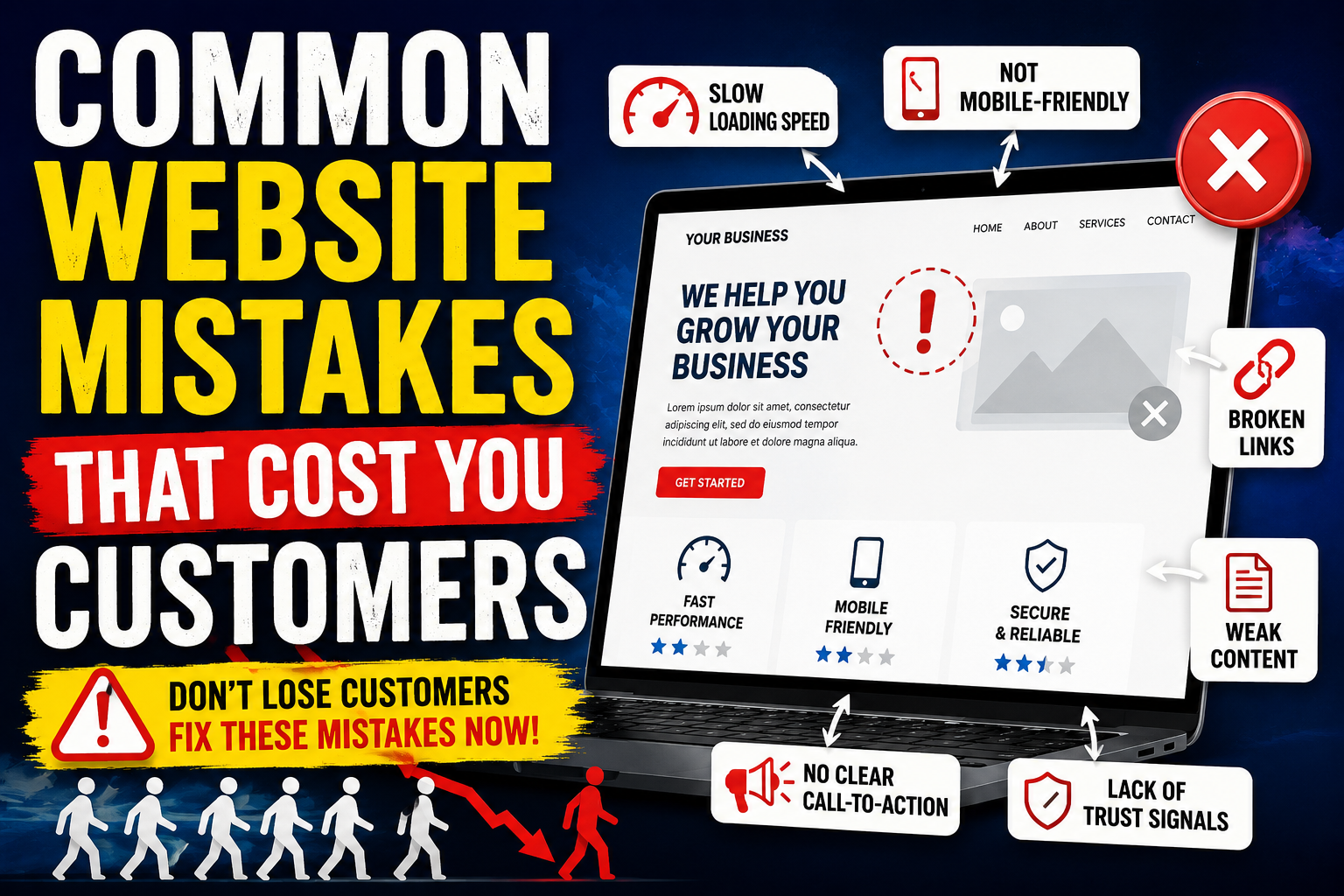
Common Website Mistakes That Cost You Customers
Your website is often the first impression potential customers have of your business. Whether you're a startup, SME, enterprise, healthcare provider, real estate agency, eCommerce store, or local business, your website should do more than look attractive—it should convert visitors into customers.
Unfortunately, Common Website Mistakes That Cost You Customers are more widespread than many businesses realise. A slow-loading website, poor navigation, confusing calls-to-action, outdated content, or a lack of trust signals can cause visitors to leave within seconds. Even if your marketing campaigns generate traffic, these issues can significantly reduce enquiries, sales, and long-term customer loyalty.
Businesses across Noida, India, the USA, Australia, the UK, and Dubai invest heavily in digital marketing, yet many overlook the website experience that ultimately determines whether visitors convert.
In this guide, you'll learn the biggest website mistakes businesses make, why websites fail to convert visitors, and practical strategies to improve user experience, increase conversions, and maximise return on investment.
The Problem: Why Businesses Lose Customers Online
Many companies assume that once a website is live, customers will naturally engage and convert. In reality, users make decisions about a website within a few seconds.
Common issues include:
- Slow loading pages
- Poor mobile experience
- Confusing navigation
- Weak content
- Lack of trust indicators
- Technical SEO problems
- Broken forms
- Unclear value proposition
Every one of these issues creates friction in the customer journey.
Instead of generating leads, the website quietly drives potential customers to competitors.
What are the most common website mistakes that cost customers?
The most common website mistakes include slow page speed, poor mobile responsiveness, confusing navigation, weak calls-to-action, outdated content, lack of trust signals, technical SEO issues, and complicated forms. These problems negatively affect user experience, search rankings, and conversion rates, leading to lost enquiries and reduced sales.
Common Website Mistakes That Cost You Customers Explained
Website mistakes are design, usability, performance, or technical issues that prevent visitors from completing desired actions such as making a purchase, filling out a contact form, or requesting a quote. Fixing these mistakes improves user experience, search visibility, customer trust, and conversion rates.
Why Websites Fail to Convert Visitors
Many businesses focus on attracting traffic but overlook what happens after visitors arrive.
A high-converting website should answer four critical questions immediately:
- What does this business do?
- Why should I trust them?
- What problem do they solve?
- What should I do next?
If visitors cannot answer these questions quickly, they are likely to leave.
Some common reasons websites fail include:
- Slow loading times
- Poor messaging
- Difficult navigation
- Weak visual hierarchy
- No clear call-to-action
- Lack of credibility
- Poor mobile optimisation
Website Visitor Journey
A visitor typically follows this path:
Search Engine → Website → Browse → Trust → Decision → Conversion
Website mistakes interrupt this journey at different stages.
| Visitor Stage | Common Mistake | Result |
|---|---|---|
| Landing | Slow loading page | Visitor leaves |
| Browsing | Poor navigation | High bounce rate |
| Reading | Weak content | Low engagement |
| Decision | No trust signals | No enquiry |
| Action | Broken contact form | Lost lead |
| Purchase | Complicated checkout | Cart abandonment |
Top Website Mistakes That Cost You Customers
1. Slow Website Speed
One of the biggest website mistakes hurting conversions is poor loading speed.
Modern users expect pages to load almost instantly. Delays increase bounce rates and reduce user satisfaction.
Signs of a Slow Website
- Large image files
- Unoptimised code
- Poor hosting
- Excessive plugins
- No caching
- Uncompressed assets
Impact on Business
- Lower search rankings
- Higher bounce rate
- Reduced conversions
- Poor user experience
- Lower customer trust
How to Fix It
- Compress images
- Minify CSS and JavaScript
- Enable browser caching
- Use a Content Delivery Network (CDN)
- Upgrade hosting infrastructure
- Optimise Core Web Vitals
2. Poor Mobile Responsiveness
More than half of global web traffic now comes from mobile devices. A website that performs poorly on smartphones risks losing a significant portion of potential customers.
Common Mobile Issues
- Tiny text
- Buttons too close together
- Horizontal scrolling
- Slow mobile loading
- Difficult navigation
- Poor touch experience
Best Practices
- Responsive layouts
- Mobile-first design
- Optimised images
- Touch-friendly buttons
- Simplified navigation
- Fast mobile performance
3. Confusing Navigation
Visitors should never struggle to find information.
If users cannot locate your services, pricing, or contact details within a few clicks, they are likely to leave.
Navigation Mistakes
- Too many menu items
- Hidden navigation
- Inconsistent labels
- Broken internal links
- Missing search functionality
- Overly complex menu structures
Better Navigation
Keep menus simple.
Example:
- Home
- About
- Services
- Industries
- Case Studies
- Blog
- Contact
4. Weak Value Proposition
Many business websites spend too much time talking about themselves instead of explaining how they solve customer problems.
Instead of saying:
"We are a leading technology company."
Say:
"We build AI-powered software that helps businesses automate operations, reduce costs, and increase productivity."
Visitors care about outcomes rather than company descriptions.
5. Poor Calls-to-Action (CTAs)
One of the biggest website design errors that increase bounce rate is failing to tell visitors what to do next.
Weak CTAs include:
- Learn More
- Click Here
- Submit
Better CTAs include:
- Book a Free Consultation
- Request a Demo
- Get Your Free Website Audit
- Talk to an AI Expert
- Schedule a Strategy Call
Effective CTAs are:
- Clear
- Action-oriented
- Benefit-driven
- Visually prominent
6. Lack of Trust Signals
Visitors are hesitant to share information or make purchases without evidence that a business is credible.
Essential Trust Signals
- Customer testimonials
- Case studies
- Client logos
- Google Reviews
- Security badges
- SSL certificate
- Awards and certifications
- Industry partnerships
- Team profiles
- Verified contact information
Displaying these elements helps build confidence and reduces hesitation.
7. Outdated Website Design
An outdated design can create the impression that your business is inactive or behind the times.
Signs Your Website Needs a Refresh
- Old branding
- Inconsistent fonts
- Cluttered layouts
- Low-quality images
- Flashy animations
- Poor readability
- Non-responsive pages
Modern websites should prioritise clarity, accessibility, and performance over unnecessary visual effects.
8. Poor Content Quality
Even with a beautiful design, poor content can stop visitors from converting.
Common content issues include:
- Generic messaging
- Grammar mistakes
- Keyword stuffing
- Thin service pages
- Outdated information
- No customer-focused messaging
- Lack of FAQs
High-Quality Content Should
- Solve customer problems
- Demonstrate expertise
- Include practical examples
- Use clear headings
- Answer common questions
- Include relevant keywords naturally
- Encourage the next step
Comparison Table: Poor Website vs High-Converting Website
| Feature | Poor Website | High-Converting Website |
|---|---|---|
| Loading Speed | Slow | Fast and optimised |
| Mobile Experience | Difficult to use | Fully responsive |
| Navigation | Confusing | Simple and intuitive |
| Content | Generic | Customer-focused |
| Trust Signals | Missing | Testimonials, reviews, certifications |
| CTAs | Weak or unclear | Clear and compelling |
| SEO | Limited optimisation | Fully optimised for search |
| Accessibility | Often overlooked | Inclusive and compliant |
| Security | Basic or unclear | SSL, secure forms, privacy notices |
| User Experience | Frustrating | Smooth and engaging |
9. Missing or Poor SEO Optimisation
Even the most visually appealing website won't generate consistent leads if it cannot be found in search engines.
One of the biggest website mistakes businesses make is treating SEO as an afterthought.
Common SEO Mistakes
- Missing title tags and meta descriptions
- Duplicate content
- Broken internal links
- Missing XML sitemap
- Poor URL structure
- No schema markup
- Missing image alt text
- Keyword cannibalisation
- Thin content
- Unoptimised headings
Business Impact
- Lower Google rankings
- Reduced organic traffic
- Higher customer acquisition costs
- Fewer qualified leads
How to Fix It
- Perform regular technical SEO audits.
- Optimise every page around one primary topic.
- Use descriptive meta titles and descriptions.
- Implement structured data (Schema.org).
- Improve Core Web Vitals.
- Build a logical internal linking strategy.
10. Complicated Contact Forms
Many businesses unknowingly lose leads by asking for too much information.
Poor Contact Form Example
- Name
- Phone
- Company
- Address
- Job Title
- Budget
- Industry
- Timeline
- Additional Notes
This creates friction.
Better Contact Form
Ask only for:
- Name
- Phone (optional where appropriate)
- Message
Collect additional details later in the sales process.
11. Broken Links and Technical Errors
Nothing damages credibility faster than encountering:
- 404 errors
- Broken buttons
- Missing images
- Dead links
- Redirect loops
- Server errors
These issues frustrate visitors and waste marketing spend.
Best Practices
- Crawl your website regularly.
- Fix broken links promptly.
- Monitor uptime.
- Test every important landing page.
- Review forms after updates.
12. No Clear Conversion Path
Many websites provide information but never guide visitors toward taking action.
Every page should answer:
- What should visitors do next?
- Why should they act now?
- How can they contact you?
High-Converting CTA Examples
- Get a Free Website Audit
- Schedule a Consultation
- Request a Proposal
- Book a Live Demo
- Talk to Our Experts
- Download Our Guide
Place CTAs naturally throughout the page rather than only at the end.
13. Ignoring Website Accessibility
Accessibility is no longer optional. An inclusive website reaches a wider audience and improves usability for everyone.
Accessibility Best Practices
- Add descriptive alt text to images.
- Maintain sufficient colour contrast.
- Ensure keyboard navigation works.
- Label form fields clearly.
- Use descriptive link text.
- Structure headings logically (H2, H3, etc.).
Accessibility improvements also support SEO and user satisfaction.
14. Weak Security Measures
Visitors expect their data to be protected.
Security issues can harm customer trust and business reputation.
Essential Security Features
- SSL certificate (HTTPS)
- Secure hosting
- Regular software updates
- Strong password policies
- Firewall protection
- Malware monitoring
- Automated backups
- Multi-factor authentication for admin access
15. No Analytics or Performance Tracking
Without measurement, improvement becomes guesswork.
Track metrics such as:
- Bounce rate
- Conversion rate
- Organic traffic
- Form submissions
- Page speed
- User behaviour
- Scroll depth
- Revenue by landing page
Use these insights to make data-driven improvements.
Benefits of Fixing Website Mistakes
Correcting common website issues provides measurable business benefits.
Increased Conversion Rates
A streamlined website encourages visitors to complete desired actions.
Better Search Rankings
Technical SEO improvements help search engines understand and index your content more effectively.
Higher Customer Trust
Professional design, security, and transparent information increase credibility.
Improved User Experience
Simple navigation and fast loading create a smoother journey.
Lower Marketing Costs
Higher conversion rates mean more value from your existing traffic.
Increased Revenue
Small improvements in usability and conversion optimisation can have a significant impact on sales over time.
Features of a High-Converting Website
A modern, conversion-focused website typically includes:
- Fast loading speed
- Mobile-first responsive design
- Clear value proposition
- Strong calls-to-action
- Intuitive navigation
- SEO-friendly architecture
- High-quality content
- Customer testimonials
- Case studies
- Secure forms
- Live chat or AI assistant
- Analytics integration
- Accessibility compliance
- Structured data (Schema)
- Regular performance monitoring
Step-by-Step Website Audit Process
Step 1 – Measure Website Speed
Evaluate:
- Core Web Vitals
- Largest Contentful Paint (LCP)
- Interaction to Next Paint (INP)
- Cumulative Layout Shift (CLS)
Optimise assets, hosting, and code where necessary.
Step 2 – Review User Experience
Assess:
- Navigation clarity
- Readability
- Mobile usability
- Internal linking
- Call-to-action visibility
Step 3 – Check Technical SEO
Audit:
- Indexing status
- XML sitemap
- Robots.txt
- Canonical tags
- Meta tags
- Structured data
- Crawl errors
Step 4 – Analyse Content
Ensure every page:
- Addresses user intent
- Demonstrates expertise
- Includes relevant keywords naturally
- Provides actionable information
- Has a clear next step
Step 5 – Test Conversion Elements
Review:
- Contact forms
- CTA buttons
- Checkout process
- Lead magnets
- Live chat
- Appointment booking
Test regularly across desktop and mobile devices.
Step 6 – Monitor and Improve
Website optimisation is an ongoing process.
Schedule quarterly audits and review:
- Search performance
- User behaviour
- Conversion metrics
- Technical health
- Content freshness
Industry-Specific Website Examples
Healthcare
Healthcare websites should prioritise:
- Appointment booking
- Doctor profiles
- Patient testimonials
- HIPAA or local privacy compliance (where applicable)
- Fast access to essential information
Real Estate
Real estate websites perform better with:
- Advanced property search
- Virtual tours
- Mortgage calculators
- Local area guides
- Lead capture forms
E-commerce
High-performing online stores include:
- High-quality product images
- Customer reviews
- Clear shipping information
- Simple checkout
- Product recommendations
SaaS & Technology
Technology companies should feature:
- Product demonstrations
- Case studies
- Pricing transparency
- Free trials
- Technical documentation
Local Businesses
Local business websites should include:
- Google Maps integration
- Local SEO optimisation
- Service area pages
- Customer reviews
- Click-to-call functionality
Case Study Example 1
Problem
A software company generated strong traffic through paid advertising but had very few enquiries.
Findings
- Slow loading homepage
- Generic messaging
- Hidden contact form
- No customer testimonials
Improvements
- Improved page speed
- Rewrote the headline to focus on customer outcomes
- Added trust signals
- Simplified navigation
- Introduced prominent CTAs
Result
The business experienced a noticeable increase in qualified enquiries and improved engagement metrics over the following months.
Case Study Example 2
Problem
An e-commerce business experienced a high shopping cart abandonment rate.
Issues Identified
- Lengthy checkout process
- Unexpected shipping costs
- Slow mobile performance
- Limited payment options
Solution
- Simplified checkout
- Displayed shipping costs earlier
- Optimised mobile pages
- Expanded payment methods
Result
Checkout completion rates improved, leading to stronger overall sales performance.
Common Website Redesign Mistakes
Avoid these pitfalls during a redesign:
- Changing URLs without redirects
- Ignoring SEO during development
- Removing valuable content
- Forgetting analytics tracking
- Launching without testing
- Neglecting mobile optimisation
- Omitting structured data
- Using oversized media files
Best Practices
- Conduct regular technical SEO audits.
- Prioritise mobile-first design.
- Optimise for Core Web Vitals.
- Publish high-quality, user-focused content.
- Build trust with testimonials and case studies.
- Keep navigation simple and consistent.
- Monitor analytics and user behaviour.
- Improve accessibility.
- Test forms and CTAs frequently.
- Refresh content to keep it accurate and relevant.
Website Trends for 2026
Modern websites are evolving rapidly. Key trends include:
AI-Powered Personalisation
Websites increasingly tailor content, recommendations, and offers based on visitor behaviour and preferences.
AI Chatbots and AI Agents
Businesses are moving beyond basic chatbots to AI agents that can answer questions, qualify leads, schedule appointments, and integrate with CRM systems.
Voice Search Optimisation
Content is being structured to answer conversational queries clearly, improving visibility in voice assistants and AI-powered search.
Interactive User Experiences
Calculators, quizzes, configurators, and interactive product demonstrations help increase engagement and conversions.
Privacy-First Experiences
As privacy expectations and regulations evolve, websites are focusing on transparent consent management, secure data handling, and user control over personal information.
Frequently Asked Questions (FAQs)
1. What are the most common website mistakes that cost customers?
The most common website mistakes include slow loading speeds, poor mobile responsiveness, confusing navigation, weak calls-to-action (CTAs), outdated content, technical SEO issues, lack of trust signals, broken forms, and poor website security. These issues reduce user engagement, increase bounce rates, and lower conversion rates.
2. Why is my website getting traffic but no leads?
If your website receives visitors but generates few enquiries, the likely causes include:
- Unclear value proposition
- Weak or missing CTAs
- Poor landing page design
- Slow loading pages
- Low customer trust
- Complicated contact forms
- Poor user experience
Conducting a comprehensive website audit can help identify and resolve these issues.
3. How does website speed affect conversions?
Website speed directly influences user experience and search rankings. Faster websites typically experience lower bounce rates and higher engagement. Optimising performance can improve customer satisfaction and increase conversions.
4. What is the ideal website loading time?
While expectations vary, many users expect pages to load in approximately 2–3 seconds or less. Faster loading generally leads to better user experiences and improved conversion opportunities.
5. Why is mobile responsiveness important?
With the majority of web traffic coming from mobile devices, responsive websites provide a consistent experience across screen sizes, making it easier for visitors to browse, contact businesses, and complete purchases.
6. How often should I audit my website?
A comprehensive website audit should typically be performed every 3–6 months, with continuous monitoring for security, uptime, and performance. Major updates or redesigns should also be followed by a full audit.
7. How do website mistakes affect SEO?
Website issues such as broken links, duplicate content, slow loading speeds, poor internal linking, missing metadata, and weak site architecture can reduce search visibility and negatively impact organic traffic.
8. What trust signals should every business website include?
Strong trust signals include:
- Customer testimonials
- Client logos
- Case studies
- Industry certifications
- Security badges
- Verified business information
- Awards and recognitions
- Team profiles
- Clear contact details
9. What are Core Web Vitals?
Core Web Vitals are performance metrics that evaluate loading speed, visual stability, and page responsiveness. Improving these metrics enhances user experience and supports stronger search performance.
10. What is website conversion rate optimisation (CRO)?
Conversion Rate Optimisation (CRO) is the process of improving a website so that more visitors complete desired actions, such as requesting a quote, making a purchase, booking a consultation, or filling out a contact form.
11. Should I redesign my website or optimise the existing one?
If your website has a solid structure but suffers from performance or usability issues, optimisation may be sufficient. If it has outdated technology, poor architecture, or fails to meet modern business needs, a redesign may offer greater long-term value.
12. How can AI improve website performance?
AI can assist by:
- Personalising user experiences
- Recommending relevant content
- Powering intelligent chatbots and AI agents
- Analysing visitor behaviour
- Automating customer support
- Improving lead qualification
Conclusion
Your website should be your most effective digital sales representative—not a barrier that drives potential customers away.
The Common Website Mistakes That Cost You Customers often go unnoticed because they develop gradually or are hidden beneath an attractive design. Issues such as slow page speed, poor mobile usability, weak calls-to-action, outdated content, technical SEO problems, and missing trust signals can quietly reduce enquiries, sales, and customer confidence.
The good news is that most of these challenges are fixable. By carrying out regular website audits, improving user experience, strengthening technical SEO, and focusing on customer-centric design, businesses can transform their websites into high-performing lead generation and conversion platforms.
Whether you operate in Noida, India, the USA, Australia, the UK, or Dubai, investing in a fast, secure, SEO-friendly, and conversion-focused website will help you attract more qualified visitors and turn them into loyal customers.
Ready to Turn Your Website into a Lead-Generating Machine?
If your website isn't delivering the enquiries or sales you expect, it's time for a strategic upgrade.
TGAYS Technology helps businesses build and optimise high-performance websites that are designed for:
- Custom Website Development
- Responsive Web Design
- Website Redesign & Modernisation
- Technical SEO Optimisation
- Core Web Vitals Improvement
- AI Chatbot & AI Agent Integration
- E-commerce Development
- CRM & ERP Integration
- Conversion Rate Optimisation (CRO)
- Ongoing Website Maintenance
Whether you're a startup, SME, enterprise, healthcare provider, real estate agency, or eCommerce business, our team delivers scalable web solutions that support growth and improve customer experience.
Contact TGAYS Technology today for a professional website audit and discover how your website can become a powerful business asset.
Internal Linking Opportunities
Link this article to relevant service pages using descriptive anchor text:
| Suggested Page | Recommended Anchor Text |
|---|---|
| AI Development Services | AI-powered business solutions |
| Website Development Services | Custom website development |
| AI Chatbot Development | AI chatbot development services |
| Custom Software Development | Custom software solutions |
| Digital Transformation Services | Digital transformation consulting |
Article Summary
Common Website Mistakes That Cost You Customers explores the most critical issues that reduce website performance, search visibility, and conversions. The guide covers:
- Slow website speed
- Poor mobile responsiveness
- Confusing navigation
- Weak value propositions
- Ineffective CTAs
- Missing trust signals
- Technical SEO issues
- Accessibility shortcomings
- Security weaknesses
- Website analytics and optimisation
It also provides practical solutions, industry examples, website audit steps, and best practices to help businesses create faster, more user-friendly, and higher-converting websites.