

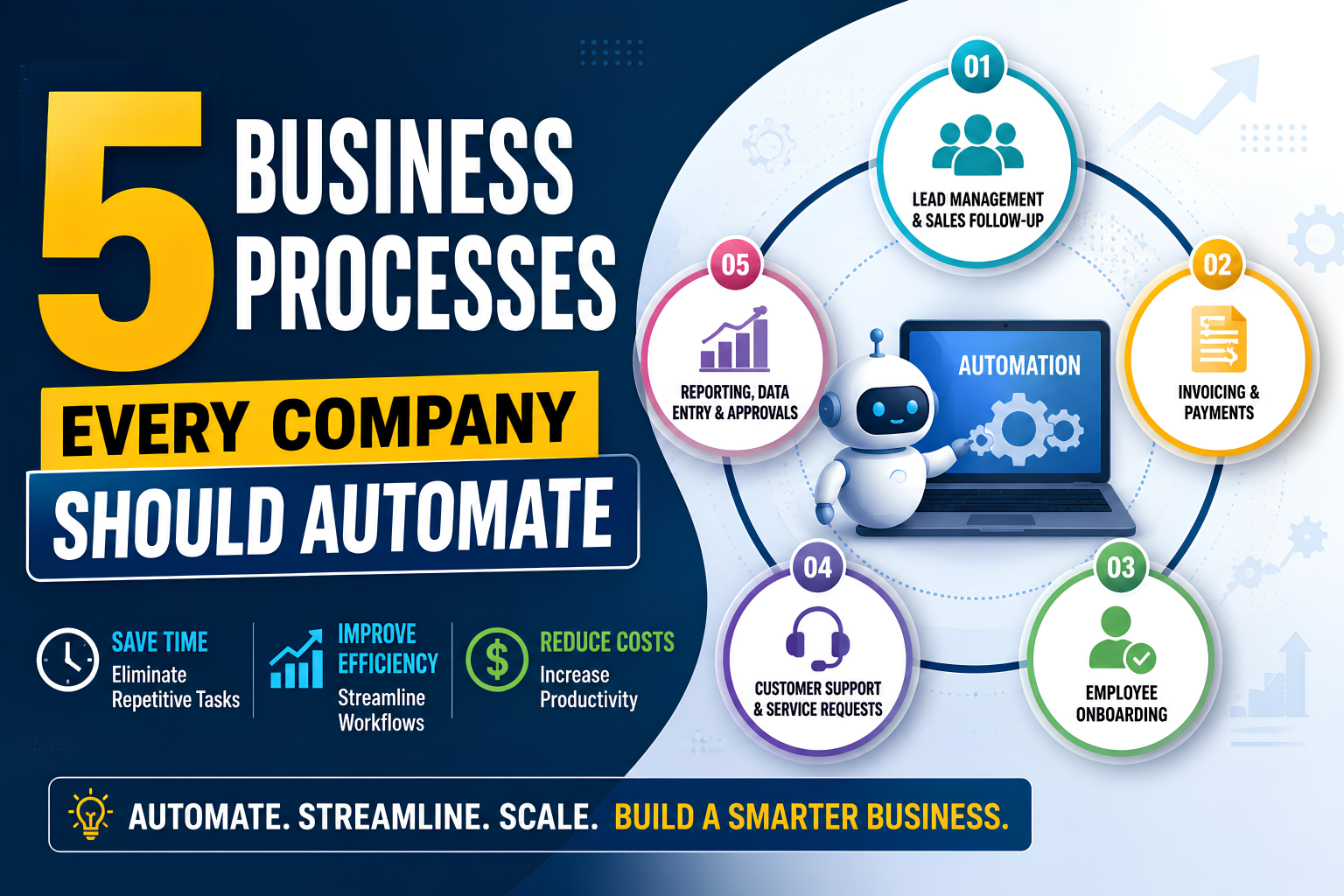
5 Business Processes Every Company Should Automate
The most valuable business processes to automate are usually not the most complicated ones. They are the repetitive, rule-driven workflows that consume employee time, create delays, introduce errors, and require people to move information manually between systems.
Business process automation (BPA) uses software, integrations, workflow engines, RPA, AI, and increasingly AI agents to execute parts of these workflows with limited human intervention. IBM defines BPA as using software to automate complex and repetitive business processes, while UiPath describes it as automating multi-step, multi-system processes across departments.
Automation is becoming more strategic in 2026. McKinsey's research shows that redesigning workflows has a major relationship with realizing business value from generative AI, while Deloitte reports growing interest in combining AI agents with RPA to automate more dynamic processes.
For startups, SMEs, enterprises, healthcare organizations, real estate companies, e-commerce businesses, and local businesses, the objective should not be "automate everything."
The better question is:
Which business processes should be automated first to create measurable value without adding unnecessary complexity?
This guide identifies five high-value areas and explains how to approach automation strategically.
What Is Business Process Automation?
Business process automation is the use of technology to execute repetitive or multi-step business workflows automatically according to defined rules, triggers, data, and decisions.
A simple example is:
Customer submits form → CRM creates lead → Lead is assigned → Email is sent → Sales representative is notified → Follow-up task is created.
Instead of several employees performing these steps manually, an automated workflow coordinates them.
Modern automation can combine:
- Workflow automation
- API integrations
- CRM and ERP systems
- Robotic Process Automation (RPA)
- Artificial Intelligence
- Machine learning
- Optical character recognition (OCR)
- Document processing
- AI agents
- Business rules
- Process monitoring and analytics
The important distinction is that automation should improve the process, not simply digitize a bad process.
Why Companies Should Automate Business Processes
Manual processes become increasingly expensive as a business grows.
A workflow that takes five minutes per transaction may seem insignificant when there are 20 transactions per week. At 2,000 transactions, the same process becomes an operational bottleneck.
Automation can help businesses:
- Reduce repetitive administrative work
- Improve process consistency
- Reduce manual data-entry errors
- Speed up customer response times
- Improve employee productivity
- Create better visibility into operations
- Standardize workflows
- Reduce operational costs
- Scale without increasing administrative workload at the same rate
- Improve customer and employee experiences
McKinsey has estimated that many occupations contain substantial automation potential, but the practical lesson is not that entire jobs should disappear. Rather, individual activities can be redesigned so employees spend more time on judgment, creativity, customer relationships, and higher-value work.
The 5 Business Processes Every Company Should Automate
1. Lead Management and Sales Follow-Up
Lead management is one of the best business processes to automate because leads often arrive continuously through websites, advertising, social media, email, forms, and other channels.
Manual lead handling can create problems:
- Leads are not assigned quickly.
- Sales representatives forget follow-ups.
- Customer information is entered multiple times.
- Leads are lost between departments.
- Managers lack visibility into the pipeline.
What can be automated?
A typical automated workflow could be:
Lead submission → Lead qualification → CRM record creation → Lead assignment → Personalized notification → Follow-up sequence → Sales task → Pipeline update
Automation can also score leads according to predefined criteria.
For example:
- Enterprise inquiry = high priority
- Demo request = high intent
- Newsletter signup = nurture
- Existing customer inquiry = customer-success workflow
Business impact
The goal is not simply to send automated emails. It is to make sure the right lead reaches the right person at the right time.
2. Invoicing, Payments and Finance Workflows
Finance contains many repetitive, rule-based activities that are strong candidates for automation.
Common examples include:
- Invoice generation
- Invoice delivery
- Payment reminders
- Expense approvals
- Purchase-order workflows
- Payment reconciliation
- Accounts payable processing
- Recurring billing
- Financial reporting
- Data synchronization between accounting systems
For example:
Order completed → Invoice generated → Invoice emailed → Payment status tracked → Reminder triggered → Finance team notified if overdue
Intelligent document processing can also extract information from invoices and documents, reducing manual data entry. IBM identifies document processing, workflow automation, and RPA among the technologies used to automate business processes.
Important consideration
Financial automation should include:
- Approval rules
- Audit trails
- Access controls
- Exception handling
- Human approval for high-risk transactions
- Data-security controls
Automation should reduce administrative effort without eliminating financial oversight.
3. Employee Onboarding and HR Administration
Employee onboarding involves many repetitive activities across HR, IT, finance, administration, and management.
A new employee may need:
- Offer documentation
- Identity verification
- HR records
- Payroll setup
- Email account
- Application access
- Equipment allocation
- Training schedules
- Policy acknowledgments
- Manager notifications
Without automation, HR teams may need to coordinate these activities manually.
Automated onboarding workflow
Candidate accepted → HR system creates employee record → Documents sent → Forms completed → IT ticket created → Accounts provisioned → Training scheduled → Manager notified
UiPath highlights employee onboarding as a business process that can involve automated document distribution, information entry, scheduling, and tracking.
Why automate it?
A well-designed onboarding workflow improves:
- Employee experience
- HR productivity
- Process consistency
- Access provisioning
- Compliance tracking
- Time-to-productivity
For growing companies, HR process automation can become particularly valuable because employee volume often increases faster than administrative capacity.
4. Customer Support and Service Requests
Customer support is another high-value area for automation because many requests are repetitive and predictable.
Examples include:
- Frequently asked questions
- Appointment requests
- Order-status inquiries
- Password-reset requests
- Ticket routing
- Status notifications
- Feedback collection
- Basic troubleshooting
- Service reminders
A modern customer-service workflow might look like:
Customer inquiry → AI classification → Knowledge-base response → Ticket creation if necessary → Routing → Human escalation → Customer notification
AI should not automatically handle every customer interaction.
A better approach is human + automation:
- Automation handles repetitive requests.
- AI helps understand and classify customer intent.
- Humans handle exceptions, sensitive cases, complaints, and complex decisions.
This is particularly important for healthcare, financial services, and other regulated industries where privacy, accuracy, and human oversight are critical.
TGAYS Technology's healthcare solutions, for example, emphasize secure systems, interoperability, patient-centric design, and workflow automation for healthcare organizations.
5. Reporting, Data Entry and Internal Approvals
Many organizations still spend hours collecting information from spreadsheets, emails, databases, forms, and different business applications before producing reports.
This is an ideal opportunity for operational process automation.
Examples include:
- Data entry
- Daily reports
- Weekly management reports
- Sales dashboards
- Inventory alerts
- Approval requests
- Employee requests
- Procurement approvals
- Performance reports
- Data synchronization
Consider a purchasing workflow:
Employee submits request → Manager approval → Finance approval → Purchase order → Supplier notification → Delivery tracking → Accounting update
Instead of employees repeatedly emailing each other, the system manages the workflow and records every step.
Workflow automation platforms commonly support tasks such as data entry, approvals, handoffs, and communications, helping standardize repetitive workflows and reduce errors.
Business Process Automation Comparison
| Process | Common Manual Problem | Automation Opportunity | Potential Benefit |
|---|---|---|---|
| Lead management | Missed follow-ups | CRM workflows, lead routing, AI scoring | Faster response |
| Finance | Manual invoices and reminders | Invoice and payment workflows | Less administration |
| HR | Repetitive onboarding tasks | Employee onboarding automation | Better employee experience |
| Customer service | Repeated questions | AI + workflow automation | Faster support |
| Reporting | Spreadsheet-based work | Data integration and automated reports | Better visibility |
Which Business Processes Should Be Automated First?
Don't start with the process that looks most impressive.
Start with the process that has the best combination of frequency, cost, consistency, business impact, and automation feasibility.
Use this simple scoring model:
| Factor | Question |
| Frequency | How often does the process occur? |
| Time | How many employee hours does it consume? |
| Repetition | Are the steps predictable? |
| Error risk | Do manual mistakes create business problems? |
| Volume | Does transaction volume keep increasing? |
| Business impact | Does automation affect revenue, cost, or customer experience? |
| Feasibility | Can existing technology automate it reliably? |
A simple rule
High volume + repetitive + rule-based + measurable impact = strong automation candidate.
Processes involving complex judgment, unpredictable exceptions, sensitive decisions, or significant human relationships may require augmentation rather than full automation.
How to Automate Business Processes: A Step-by-Step Approach
Step 1: Map the Existing Process
Document:
- Every step
- Every person involved
- Every system used
- Every handoff
- Every approval
- Every exception
- Average processing time
Step 2: Identify Bottlenecks
Look for:
- Repeated data entry
- Email-based approvals
- Spreadsheet dependencies
- Duplicate work
- Delays
- Manual reconciliation
- Frequent errors
Step 3: Redesign Before Automating
Ask:
Can this step be removed?
Can two steps be combined?
Can the data flow directly between systems?
This is important because automating unnecessary steps simply makes an inefficient process run faster.
McKinsey's recent research emphasizes workflow redesign as a critical factor in capturing value from AI and automation.
Step 4: Select the Right Technology
Depending on the workflow, you may use:
- CRM automation
- ERP workflows
- API integrations
- RPA
- AI
- AI agents
- Workflow platforms
- Custom software
- Document processing
- Business intelligence dashboards
Step 5: Build a Pilot
Start with one process.
Define:
- Current processing time
- Error rate
- Cost
- Number of transactions
- Target improvement
- Exception rate
Step 6: Test With Human Oversight
Run the automated workflow alongside the existing process where appropriate.
Check:
- Accuracy
- Security
- Failure scenarios
- Exceptions
- Data quality
- User experience
Step 7: Measure and Scale
Once the pilot demonstrates measurable value, expand automation to related processes.
UiPath recommends a discovery, generation, implementation, and expansion approach, including process mining/task mining to identify suitable opportunities.
Automation vs. AI vs. RPA
These technologies overlap, but they are not identical.
| Technology | Best Used For |
| Workflow automation | Connecting structured tasks and approvals |
| RPA | Repetitive interactions with software systems |
| AI | Understanding, predicting, classifying, generating, and reasoning |
| AI agents | More dynamic, goal-oriented workflows |
| APIs/integrations | Connecting applications and moving structured data |
| BPM | Designing and continuously improving business processes |
RPA is particularly useful for structured, repetitive activities, while AI can add cognitive capabilities. Deloitte recommends maintaining RPA for structured tasks while using AI agents where processes require greater adaptability and context.
Benefits of Business Process Automation
Operational Benefits
- Faster workflows
- Fewer manual errors
- Standardized processes
- Better scalability
- Greater process visibility
Financial Benefits
- Lower administrative workload
- Reduced rework
- Better resource utilization
- Faster billing and collections
- Improved operational efficiency
Employee Benefits
- Less repetitive work
- More time for strategic activities
- Reduced administrative burden
- Better access to information
Customer Benefits
- Faster responses
- Consistent service
- Fewer delays
- Better communication
- More personalized experiences
Business Automation Trends in 2026
AI Agents and Agentic Automation
Automation is moving beyond simple triggers and rules toward systems that can interpret context, plan actions, and coordinate multiple steps.
Deloitte describes AI agents as enabling more dynamic forms of process automation, while UiPath is increasingly positioning agentic automation around coordination among AI agents, robots, people, and existing systems.
Human-in-the-Loop Automation
Not every process should be fully autonomous.
The emerging model is:
AI/Automation handles routine work → Human handles judgment and exceptions.
Intelligent Document Processing
AI-powered document processing can extract and classify information from invoices, forms, contracts, applications, and other documents.
Process Intelligence
Organizations are increasingly using process mining and analytics to discover where work actually happens rather than relying only on documented procedures.
End-to-End Workflow Orchestration
Instead of automating isolated tasks, companies are increasingly looking at the complete workflow across people, systems, bots, and AI.
McKinsey's research similarly emphasizes that redesigning complete workflows can create more value than applying AI to isolated tasks within outdated processes.
Common Business Automation Mistakes
Avoid these mistakes:
- Automating a broken process.
- Automating everything at once.
- Ignoring employee feedback.
- Choosing technology before defining the business problem.
- Failing to measure ROI.
- Ignoring security and permissions.
- Creating automations without exception handling.
- Removing humans from high-risk decisions.
- Building disconnected automation silos.
- Failing to monitor automation after deployment.
Best Practices for Business Process Automation
For sustainable automation:
- Start with measurable business problems.
- Map the complete workflow.
- Remove unnecessary steps first.
- Choose technology based on process requirements.
- Integrate systems instead of creating isolated tools.
- Keep humans involved in critical decisions.
- Establish security and governance.
- Monitor automation performance.
- Document workflows.
- Train employees.
- Continuously optimize.
The objective is not maximum automation. The objective is maximum business value from the right level of automation.
Industry Examples
E-commerce
Automate:
- Order processing
- Inventory alerts
- Customer notifications
- Returns workflows
- Invoice generation
Healthcare
Automate:
- Appointment workflows
- Patient notifications
- Administrative documentation
- Billing workflows
- Referral routing
Human oversight and regulatory requirements remain essential.
Real Estate
Automate:
- Lead assignment
- Property inquiry responses
- Appointment scheduling
- Document workflows
- Follow-up reminders
Education
Automate:
- Student enrollment
- Fee reminders
- Attendance notifications
- Assignment workflows
- Certificate generation
Retail
Automate:
- POS reporting
- Inventory alerts
- Purchase orders
- Customer notifications
- Sales reports
TGAYS Technology's solutions span retail, education, travel, e-commerce, healthcare, SaaS, finance, and AI-powered applications, making process automation relevant across multiple business models.
Case Study Examples
Example 1: B2B Lead Automation
Before: Website leads were manually reviewed and forwarded to sales.
After: A form submission automatically creates a CRM record, categorizes the lead, assigns it to the appropriate salesperson, sends an acknowledgment, and creates a follow-up task.
Result: Faster lead response and improved pipeline visibility.
Example 2: E-commerce Operations
Before: Staff manually monitored inventory and emailed customers about order updates.
After: Inventory thresholds trigger alerts, order events update customers automatically, and exceptions are routed to employees.
Result: Less manual administration and more consistent customer communication.
Verified TGAYS Technology Example
TGAYS Technology reports experience developing custom CRM and business applications, including a case involving WorthMetrix, a US-based B2B web application for business valuation, health, and risk analysis. The company describes working with the client to understand complex business logic, document requirements, structure development into sprints, and deliver the application. The case demonstrates the importance of understanding business workflows before building technology around them.
Frequently Asked Questions
What are the best business processes to automate?
The best candidates are repetitive, high-volume, rule-based processes with measurable costs or delays. Common examples include lead management, invoicing, HR onboarding, customer support, reporting, approvals, and data entry.
Which business processes should be automated first?
Start with processes that occur frequently, consume significant employee time, have predictable steps, create errors or delays, and have measurable business impact.
What is business process automation?
Business process automation is the use of software, workflows, integrations, RPA, AI, or related technologies to execute repetitive or multi-step business processes with reduced manual intervention.
What is the difference between workflow automation and business process automation?
Workflow automation generally focuses on connecting and executing tasks within a workflow. Business process automation takes a broader view and can automate complete multi-step processes spanning departments and systems.
Can small businesses benefit from automation?
Yes. Small businesses can automate lead follow-ups, appointment scheduling, invoices, customer communications, reporting, employee onboarding, and other repetitive processes without requiring enterprise-scale systems.
How does AI improve business process automation?
AI can add capabilities such as classification, document understanding, prediction, natural-language processing, content generation, decision support, and adaptive task execution.
Is RPA the same as business automation?
No. RPA uses software robots to perform structured tasks, often by interacting with applications as a human would. Business automation can include RPA but also encompasses workflows, APIs, AI, integrations, BPM, and other technologies.
Can business processes be fully automated?
Some processes can be highly automated, but many workflows benefit from human-in-the-loop designs, particularly where judgment, exceptions, compliance, or sensitive decisions are involved.
How much does business process automation cost?
There is no single price. Cost depends on workflow complexity, integrations, data requirements, security, AI capabilities, number of users, and whether you use an existing platform or build custom software.
How do I calculate automation ROI?
Compare the current cost of performing a process with the cost after automation. Consider employee time, error-related costs, processing speed, revenue impact, customer experience, software costs, implementation costs, and maintenance.
What is intelligent process automation?
Intelligent process automation combines traditional workflow or RPA capabilities with technologies such as AI, machine learning, OCR, NLP, and analytics to handle more complex processes.
Will automation replace employees?
Automation typically changes how employees work rather than automatically eliminating entire roles. The strongest applications remove repetitive tasks while allowing people to focus on judgment, creativity, relationships, and strategic work.
How can a company start automating processes in 2026?
Select one high-value process, map the current workflow, remove unnecessary steps, identify automation opportunities, choose suitable technology, build a pilot, test it with human oversight, measure results, and then scale.
Conclusion
The most important business processes to automate are those that repeatedly consume employee time without requiring significant human judgment.
For most organizations, five areas provide an excellent starting point:
- Lead management and sales follow-up
- Invoicing, payments, and finance
- Employee onboarding and HR administration
- Customer support and service requests
- Reporting, data entry, and internal approvals
But successful automation is not simply a technology project.
It is a business transformation exercise.
Companies should first understand how work currently happens, redesign inefficient workflows, select the right combination of automation technologies, maintain appropriate human oversight, and continuously measure outcomes.
In 2026, the opportunity is moving beyond automating individual tasks toward intelligent, connected, end-to-end workflows involving people, software, data, AI, and increasingly autonomous agents.
Ready to Automate Your Business Processes?
TGAYS Technology helps startups, SMEs, and enterprises build custom software, AI-powered applications, CRM/ERP systems, SaaS platforms, and intelligent automation solutions designed around real business workflows. Its website describes AI-powered automation, AI agents, custom AI software, AI-powered CRM/ERP, and industry-specific solutions across healthcare, retail, e-commerce, finance, education, and other sectors.
Instead of asking, "What can we automate?" ask: "Which workflow is costing our business the most time, money, or opportunities?"
That is usually where your automation journey should begin.